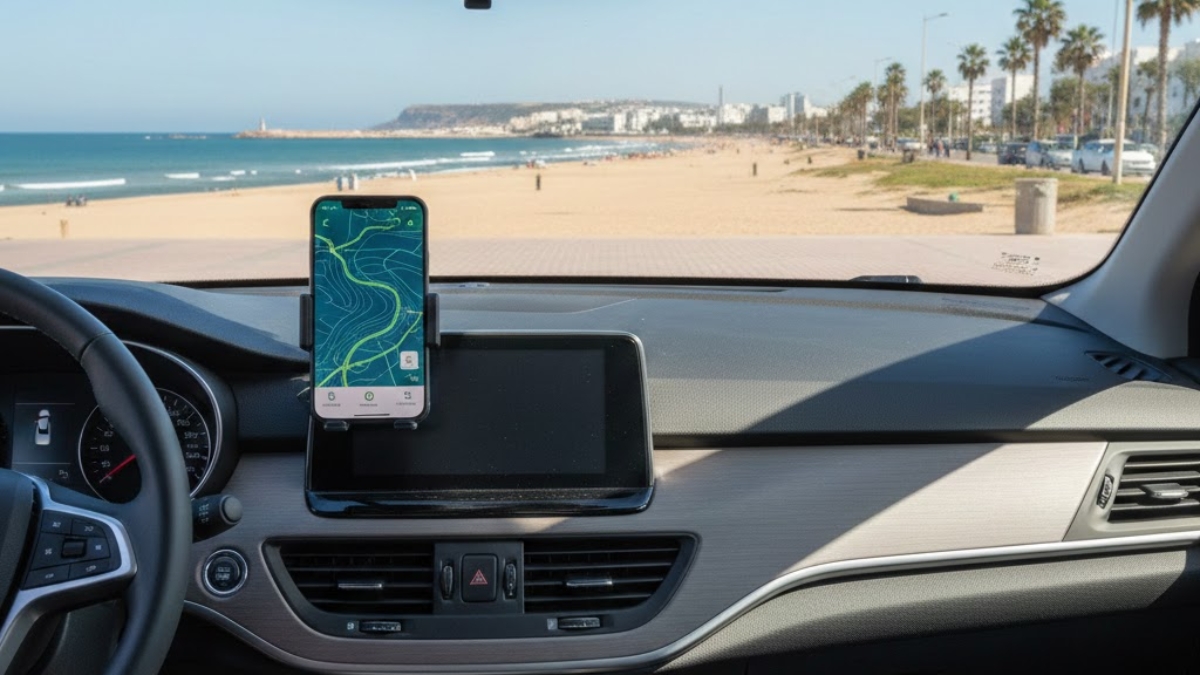
Driving around Agadir is generally uncomplicated, but navigation can break down fast when you rely on a single tool. Mobile data can dip in certain stretches outside the city, GPS can drift in dense areas or when your phone overheats on the dashboard, and online maps can become unusable the moment you lose signal.
A “professional” navigation setup for Agadir is simple: stable data for live navigation, offline maps for continuity, and a GPS-first mindset that keeps you moving even when the internet drops.
Table of Contents
- Quick Answer
- The 3-Layer Navigation Setup
- SIM vs eSIM in Agadir: What Makes Sense
- Coverage Reality and How to Choose a Network
- GPS Basics: What Works Without Data
- Offline Maps: The Non-Negotiable Step
- Best App Stack for Agadir Driving
- In-Car Setup: Mount, Charging, Heat, and Safety
- Practical Checklists
- FAQ
- Conclusion
- SEO Pack
- Image Prompt (No people)
Quick Answer
Use a 3-layer setup: (1) local SIM or eSIM with enough data for live routing, (2) offline maps downloaded for Agadir + your day-trip corridors, and (3) one backup navigation app in case your primary app crashes or loses tiles. Do not depend on “signal staying perfect.” In Morocco, network performance varies by operator and location, so plan redundancy.
The 3-Layer Navigation Setup
Think of navigation as a system, not an app:
- Connectivity layer (SIM/eSIM + data plan)
For traffic-aware routing, live ETAs, and search. - Map continuity layer (offline maps)
So you can keep navigating when coverage drops or your plan throttles. - Execution layer (phone + car setup)
Mounting, charging, and heat management so the phone stays accurate and usable.
If you get these three right, Agadir driving becomes “set-and-forget.”
SIM vs eSIM in Agadir: What Makes Sense
Both can work. The best choice depends on your phone and your travel style:
Physical SIM
Best if you want simplicity and broad device compatibility.
- Works on almost all unlocked phones
- Easy to swap, easy to top up
- Good if you also want local calls/SMS
eSIM
Best if you want convenience (no physical swap) and you already use dual SIM.
- Keep your home SIM active for banking/OTP codes
- Add a Morocco data plan for navigation
Practical rule: for driving, the most important factor is not “SIM vs eSIM,” it’s reliable data coverage on your routes.
Coverage Reality and How to Choose a Network
In Morocco, performance can vary by operator and region. Opensignal’s Morocco mobile network experience report is useful for understanding how operator performance can differ across metrics (coverage experience, speed experience, etc.).
A practical way to choose:
- If your driving stays mostly in Agadir city + Taghazout corridor, any major operator plan usually works, but you still want offline maps as backup.
- If you plan day trips (Paradise Valley, Taroudant direction, Tiznit direction), assume there will be pockets of weaker data and plan accordingly.
What to buy (navigation-first):
- Data-first plan (because maps + traffic + WhatsApp location sharing consume data)
- Hotspot/tethering enabled (useful if a passenger needs connectivity too)
GPS Basics: What Works Without Data
Many drivers confuse GPS with “internet.” They are not the same.
- GPS positioning uses satellite signals and does not require a SIM or mobile data.
- What does require data: map tiles, place search, live traffic, rerouting with fresh road conditions.
So even if your mobile data drops, your phone can still know where you are. The risk is that your map becomes blank or routing fails if you have not downloaded offline areas.
Offline Maps: The Non-Negotiable Step
If you do one thing before you start driving, do this: download offline maps.
Google Maps supports offline downloads and navigation so you can keep routing when the network is weak or unavailable.
Backlink 1 (embedded): https://support.google.com/maps/answer/6291838
What to download for Agadir driving
Download these “tiles” (or equivalent areas) before you leave Wi-Fi:
- Agadir city + immediate suburbs
- Agadir Al Massira Airport area (if relevant)
- Your likely day-trip corridors (examples: Taghazout/Tamraght; Paradise Valley approach roads; Tiznit direction)
Offline map hygiene
- Update your offline areas every few weeks if you stay longer (offline maps can expire and need refresh).
- Keep at least 3–5 GB free storage so map downloads do not fail mid-process.
Best App Stack for Agadir Driving
A robust setup is not “more apps.” It is one primary + one backup, plus offline.
Primary navigation (daily driving)
- Use your preferred mainstream navigation app for the best routing and POI discovery.
Backup navigation (when something breaks)
- Keep a second navigation app installed and updated.
- The goal is not to constantly switch, only to have an exit plan if your primary app fails.
Coverage insight (optional, for planning)
If you want a data-driven view of operator performance and coverage experience in Morocco, Opensignal publishes reporting and coverage insights based on crowdsourced measurements.
Backlink 2 (embedded): https://insights.opensignal.com/reports/2024/03/morocco/mobile-network-experience
In-Car Setup: Mount, Charging, Heat, and Safety
Even perfect maps fail if your phone becomes unusable.
Mounting
- Use a stable mount that does not shake on rough patches.
- Position it so you can glance, not stare.
Charging
- Navigation drains battery fast, especially with bright screens and hotspot use.
- Use a reliable car charger and cable.
- If possible, keep the phone between 40–80% (phones run hotter near 100% while charging).
Heat management (critical in sunny conditions)
Phones overheat on dashboards, which can reduce GPS accuracy and force the screen to dim.
- Keep the phone out of direct sun.
- Use AC airflow near the mount if possible.
- If the phone gets hot, stop for two minutes and cool it, navigation errors cost more time than a quick pause.
Safety discipline
- Set your route before you move.
- Use voice guidance.
- If you must change destinations, pull over safely.
Practical Checklists
Before pickup (5 minutes on Wi-Fi)
- Install primary navigation app + one backup app
- Download offline maps for Agadir + day-trip corridors
- Save key pins: hotel/riad, airport, fuel station near accommodation, main parking spot
- Confirm your data plan is active and hotspot works
Before you start driving (2 minutes)
- Phone mounted and charging
- Screen brightness set for daylight
- Voice guidance enabled
- Offline map areas visible in your app settings
During day trips
- Keep one “known good” fuel stop pinned
- If signal drops: rely on offline routing and avoid constant reroute attempts
- If you are unsure at a junction: continue safely, then re-route when stable
FAQ
Q: Do I need a local SIM to use GPS in Agadir?
A: No. GPS positioning does not require data. You need data for live traffic, searching places, and loading map tiles, unless you have offline maps downloaded.
Q: What is the best navigation setup if I plan day trips from Agadir?
A: Local data plan + offline maps for Agadir and your corridors + one backup app. That combination prevents “dead zone” failures.
Q: How much data do I need for a week of driving around Agadir?
A: It depends on usage, but navigation plus occasional searches and messaging is usually manageable with a moderate data plan. Heavy hotspot use and streaming will increase needs quickly.
Q: Why does my map go blank even when GPS still works?
A: Because GPS gives your location, but the map tiles and route recalculation often need internet, unless you downloaded the area for offline use. Q: What is the single best thing to do before leaving Agadir city limits?
A: Download offline maps and confirm they are stored on your phone (not “pending”).
Q: My phone overheats while navigating, what should I do?
A: Move it out of direct sunlight, use AC airflow near the phone, and keep it charging with a quality cable. Overheating can reduce screen visibility and GPS stability.
Conclusion
The best navigation setup for driving around Agadir is not complicated: data for live routing, offline maps for continuity, and a reliable in-car setup so your phone stays cool, powered, and readable. If you treat navigation like a system, with redundancy, you will drive with far less stress, especially on day trips where coverage can be inconsistent.